Skip to content

Cookie Settings

This site uses cookies that need consent.

SentinelOne

SentinelOne’s Singularity Platform is an AI-powered cybersecurity platform that combines endpoint protection (EPP), endpoint detection and response (EDR), and automated remediation in a single unified agent, delivering unified protection across endpoints, identity, and cloud environments — built to detect, prevent, and respond to threats at machine speed. SentinelOne stores a range of IT asset data as a by-product of its primary functionality, and this provides an ideal source repository of information to seed your Configuration Management Database (CMDB).

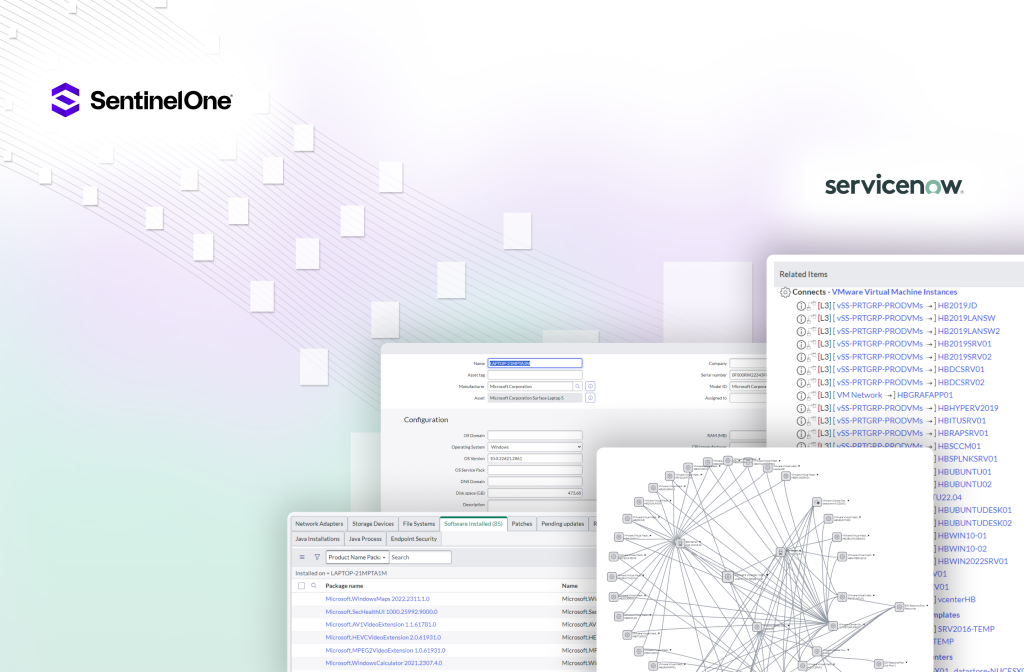
The SentinelOne connector retrieves endpoint devices and their associated vulnerabilities (CVEs) and populates this information into your Configuration Management Database (CMDB), enabling organisations to visualise their endpoint exposure. In addition, organisations can use ServiceNow to generate remediation tasks to create end-to-end CVE remediation workflows.
Generate Configuration Items for Endpoints
CI Synchronizer automatically creates new CIs, or correlates to existing CIs, for each Apple Mac, Windows PC or Windows Server found by SentinelOne.
Maintain CVE Master List and Impacted CI Relationships
CI Synchronizer automatically generates a master list of CVEs and creates a relationship to the impacted CIs. This allows organisations to see every CI impacted by a given CVE.

In addition, CI Synchronizer provides customers with a CVSS threshold configuration setting. This allows customers to define the CVSS score used by CI Synchronizer to determine the severity of CVEs to include/exclude when synchronising CVEs to ServiceNow.
Maintain Per CI Related Lists for Installed Software and CVEs
CI Synchronizer automatically generates the following related lists for each CI:

The list of Installed Software per CI (i.e. installed software containing a known CVE).

The list of CVEs for each Installed Software product.
Support for CVE Lifecycle Management
CI Synchronizer works with a typical CVE resolution workflow by maintaining the CVE Status attribute per impacted CI.

A typical lifecycle workflow consists of the following:

CI Synchronizer initially sets the CVE Status to “Unresolved”. Unresolved CVEs are those requiring a remediation task within the organisation.

Once the remediation task is completed, the resolver typically sets the CVE Status to “Resolved Pending”.

Finally, when CI Synchronizer detects the CVE has been removed from the device within the SentinelOne console, CI Synchronizer sets the CVE status to “Resolved Confirmed”.

Relationships

Frequently Asked Questions

CI Synchronizer Professional Edition provides a streamlined, out-of-the-box solution for businesses looking for efficient, hassle-free CMDB synchronisation without the need for extensive customisation.

CI Synchronizer Enterprise Edition offers advanced customisation and high-volume data handling capabilities, perfect for organisations with complex synchronisation needs and custom configuration requirements.

Many! Check out each source connector page for details of the supported assets and other records.

Yes. CI Synchronizer can detect which source records have changed since the previous synchronisation job and only sync the newly changed source data.

Throughput is affected by factors outside of the control of CI Synchronizer, however we see a typical throughput of between 200,000 and 400,000 records per hour (and even higher rates are possible).

Yes. CI Synchronizer has a highly customisable rules engine.  Amendment of some Standard (simple) default Data Sync Rules can be performed via the CI Sync Web User Interface and supported with Knowledge Base articles.  Amendment of Advanced Data Sync Rules or creation of Custom Data Sync Rules requires an “Extended Implementation and Ongoing Support Plan” available at an additional cost to your CI Sync Subscription Plan.

Visit the Support page for details on amending the Default CI Sync Data Sync Rules relative to the support plan (including no plan) offered by Syncfish.

Yes. Please fill and submit the Book a Demo form to set up a time to meet with one of the Syncfish team.

No. Each customer is provisioned with a dedicated CI Synchronizer instance.

Ultimately the customer decides, however Syncfish recommends hosting each customer instance physically close to the location of their ServiceNow instance (for best performance). It can be hosted in most/all Azure Regions globally (it is still hosted/managed/maintained by Syncfish, but the customer decides which geography it is physically located in).

No. The source asset data (read from the relevant source system by one of the CI Synchronizer connectors) is transited through your dedicated CI Synchronizer instance then deleted after it’s been processed into ServiceNow.

    Find out more

    Talk with us to find discover CI Synchronizer, the available connectors and the services we offer to help you achieve CMDB excellence.

    Book a Demo

    Schedule a demo. See up close how CI Synchronizer works and how quickly you can start syncronising your IT Asset data into your CMDB.

    Request a Trial

    Syncfish offers customers the chance to trial CI Synchronizer. Contact Sales or book a demo to find out how to get setup with a trial.